
Turn on device code sign-in in ChatGPT
ChatGPT accounts start with device code sign-in turned off. Until it is on, OpenAI's page refuses the code and EdgeQuota keeps waiting until the code expires.
- Open chatgpt.com/settings/security and sign in to the ChatGPT account whose quota you want to see. The "Open ChatGPT security settings" button in EdgeQuota opens this page directly.
- On the Security and login page, scroll down to App security.
- Turn on Enable device code sign-in for Codex, Excel, PowerPoint, and Word. The switch turns green when it is on.
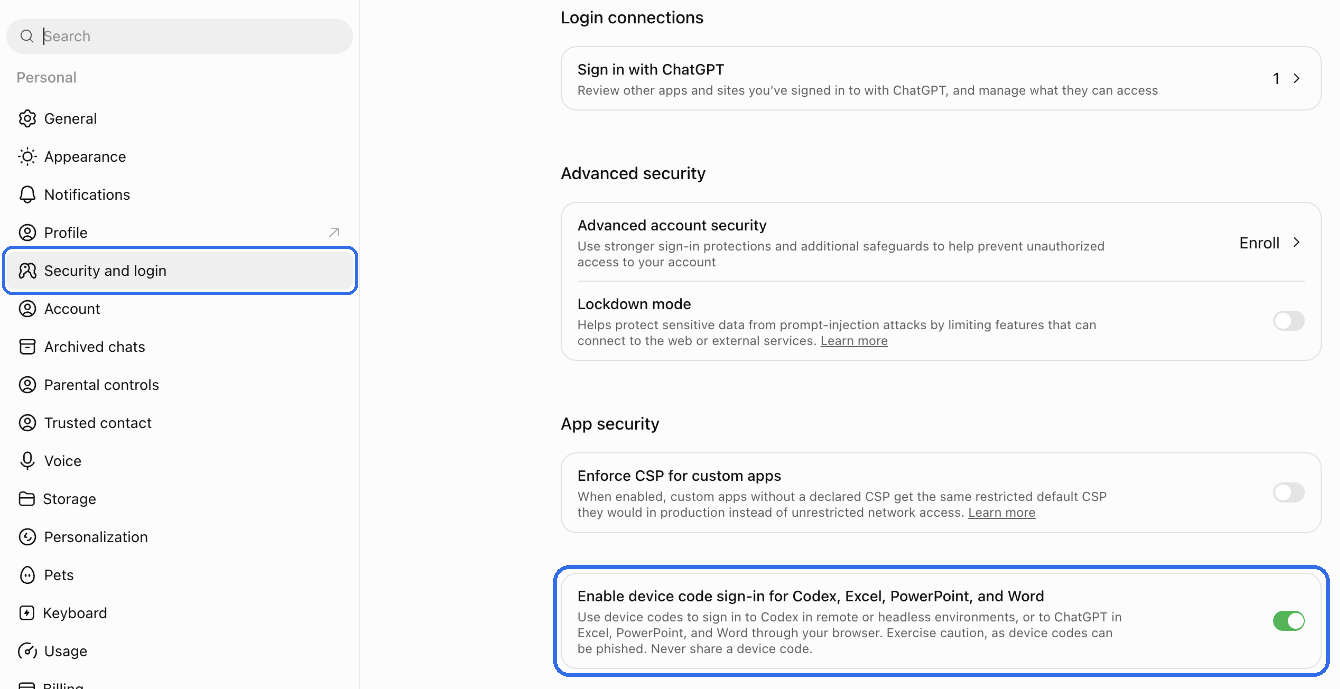
Team, enterprise, or education accountsA workspace admin turns this setting on in the workspace permissions. If you cannot find it in your security settings, ask your admin.
Get a code in EdgeQuota
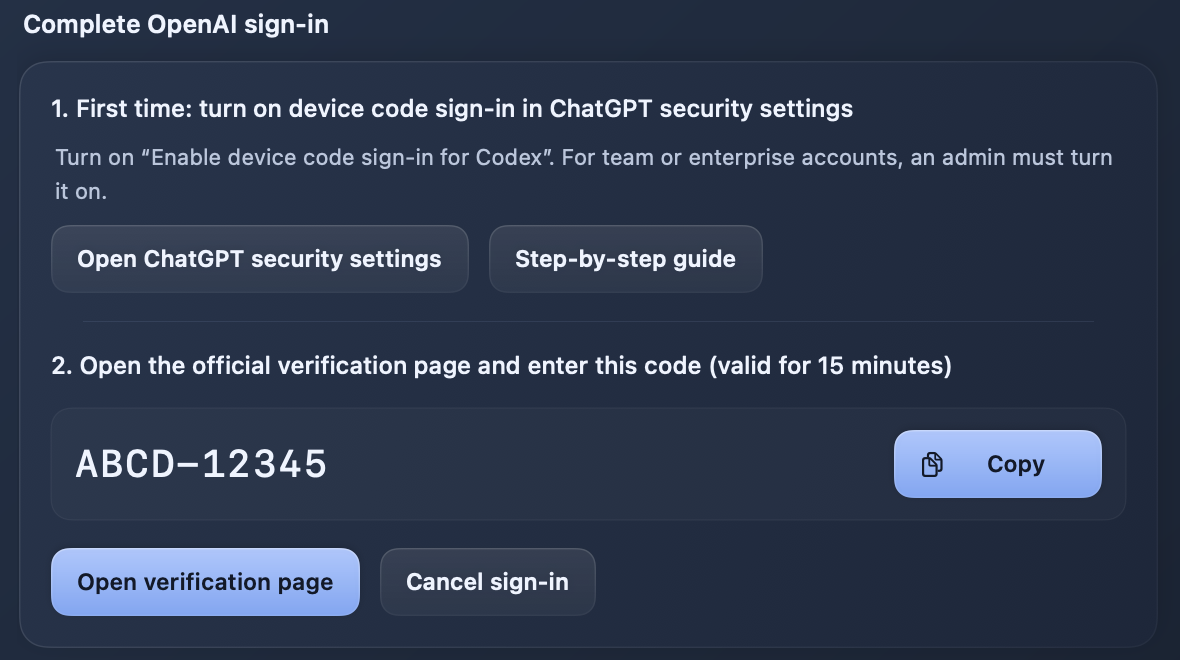
- Click "Connect Codex" on the Codex card in the sidebar, or open EdgeQuota Settings → Connections and click "Connect" on the OpenAI row.
- The settings window shows a code that is valid for 15 minutes. Click "Copy" to copy it.
- macOS may ask for Keychain access to store the sign-in on this Mac. Allow it.
Enter the code on OpenAI's page
- Click "Open verification page". Your browser opens OpenAI's official page, whose address starts with auth.openai.com.
- Sign in to the same ChatGPT account you used in step 1.
- Type or paste the code EdgeQuota shows and click Continue.
- Return to EdgeQuota. Your Codex quota appears within a few seconds.
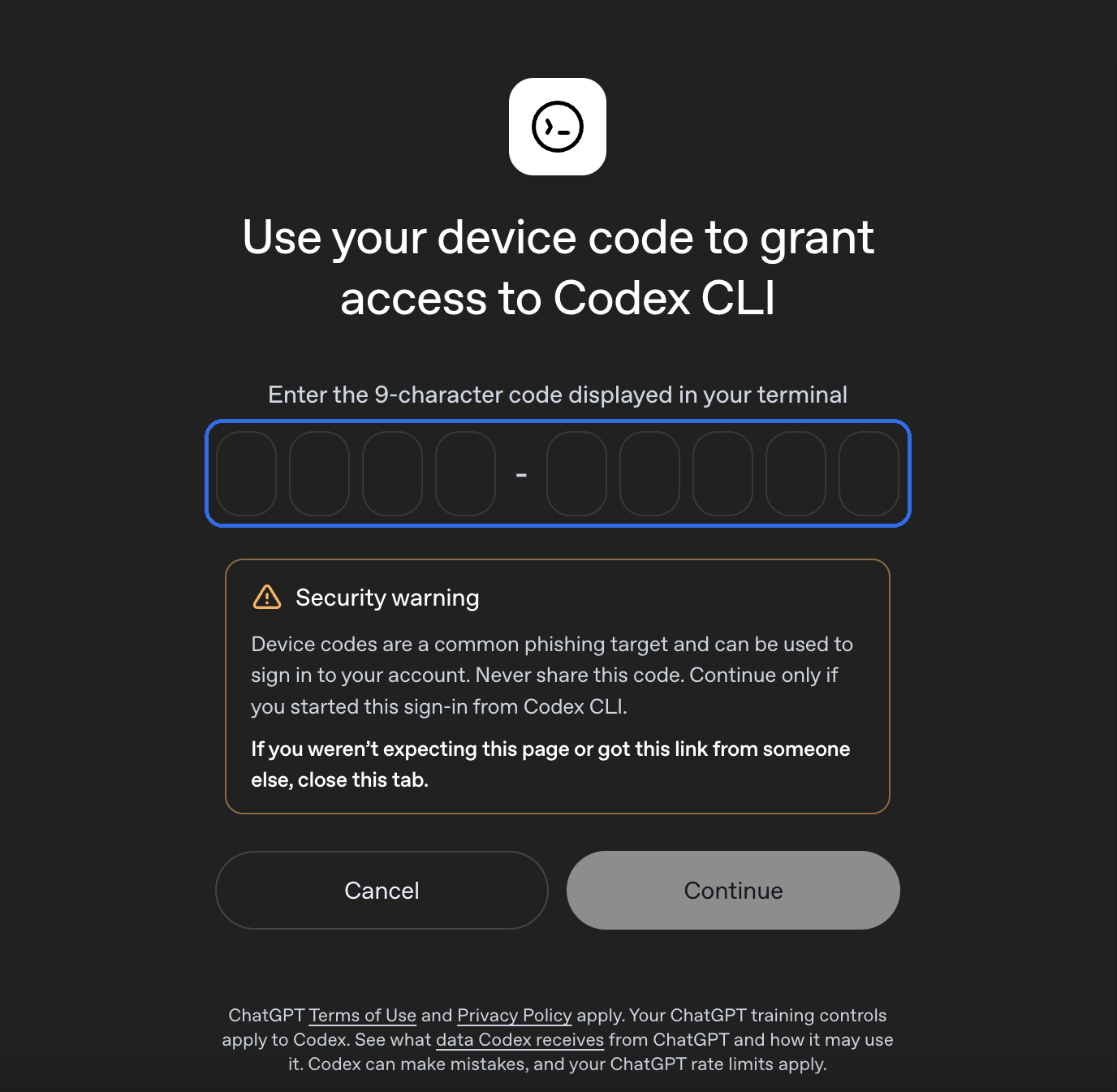
The page says Codex CLIThat is expected. EdgeQuota reads your quota through OpenAI's official Codex program, so OpenAI shows the Codex sign-in page.
Stay safeEnter a code only when you started the connection in EdgeQuota yourself. Never share the code; neither EdgeQuota nor support will ever ask for it.
Questions
OpenAI's page shows an error, or I cannot continue
The setting from step 1 is usually still off, or you signed in to a different account. Turn the setting on, then get a new code in EdgeQuota: if the code is still showing, click "Cancel sign-in" and then "Connect"; if EdgeQuota says the code expired, click "Reconnect".
EdgeQuota says the code expired
Codes are valid for 15 minutes. Click "Reconnect" to get a new one.
I upgraded my ChatGPT plan and the quota windows did not change
After an upgrade, for example from Free to Plus, open EdgeQuota Settings → Connections and click "Manage" on the OpenAI row, then "Refresh", to update at once ("Refresh quota" in the reading details at the bottom of the Codex card, or quitting and reopening EdgeQuota, does the same). Otherwise current versions of EdgeQuota pick up the new plan within a few hours. Earlier versions need you to sign out of OpenAI in Settings and connect again.
I am already signed in to Codex in another app. Why sign in again?
EdgeQuota keeps its own sign-in and never reads other apps' credentials. Signing out in EdgeQuota does not affect other apps.
Still stuck? Email kunc345@gmail.com with your EdgeQuota version and the exact message you see. Never send passwords or sign-in codes. OpenAI, ChatGPT, and Codex are trademarks of OpenAI; screenshots only illustrate the steps.